AudioX - Audio Editor, MP3 Cut · Android
Cut, convert, and clean up audio right on your phone.
AudioX brings 16+ practical audio editing tools to Android phones and tablets—waveform trimming and merging, MP3/WAV/FLAC conversion, 5-band EQ, AI noise reduction, and file compression in one clean app.
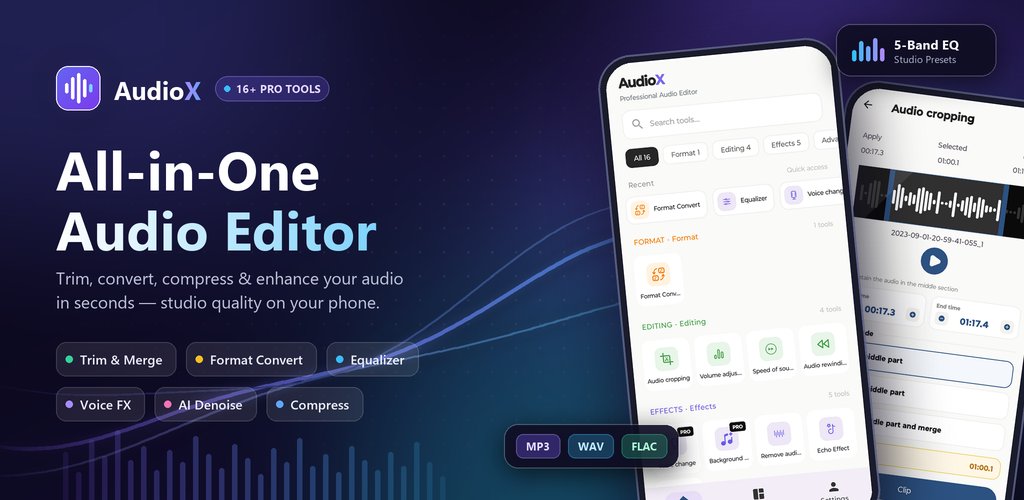
16+ tools, no desktop required
Trim, crop, and merge
Select exact start and end timestamps on a visual waveform to keep a middle section, remove unwanted parts, or stitch multiple clips together.
Format converter
Convert audio files cleanly between MP3, WAV, FLAC, and other common formats in a few taps.
5-band equalizer
Fine-tune vocals, podcasts, and music with a 5-band EQ and built-in studio presets.
AI denoise
Reduce background hiss and room noise from voice recordings so speech stays clear and easy to listen to.
Voice FX & playback tweaks
Adjust volume, playback speed, reverse audio, or add voice changer and echo effects when needed.
Audio compression
Shrink large recordings and tracks into smaller files for faster sharing and storage savings.
At a glance
Questions
What audio formats does AudioX support?
AudioX supports popular audio formats including MP3, WAV, and FLAC. You can trim, edit, compress, or convert tracks between formats directly on your Android device.
Can AudioX remove background noise from voice recordings?
Yes. AudioX includes an AI Denoise tool to reduce background hiss and room noise from voice memos, podcasts, and recordings, alongside a 5-band equalizer for fine-tuning clarity.
How precise is the MP3 cutter in AudioX?
AudioX provides an interactive waveform timeline with exact start and end timestamps, allowing you to keep a selected middle section, cut out unwanted parts, or merge clips cleanly.
Is AudioX free, or does it offer a one-time lifetime purchase?
AudioX is free to download and try on Google Play. To unlock all pro tools and effects, you can choose either a subscription or a one-time lifetime purchase with no recurring fees.
Does AudioX work on both Android phones and tablets?
Yes. AudioX is built for Android phones and tablets and processes your audio files directly on your device.
Edit audio in seconds.
Download AudioX on Google Play—free to try, with a one-time lifetime option if you prefer not to subscribe.
Get AudioX on Google Play